
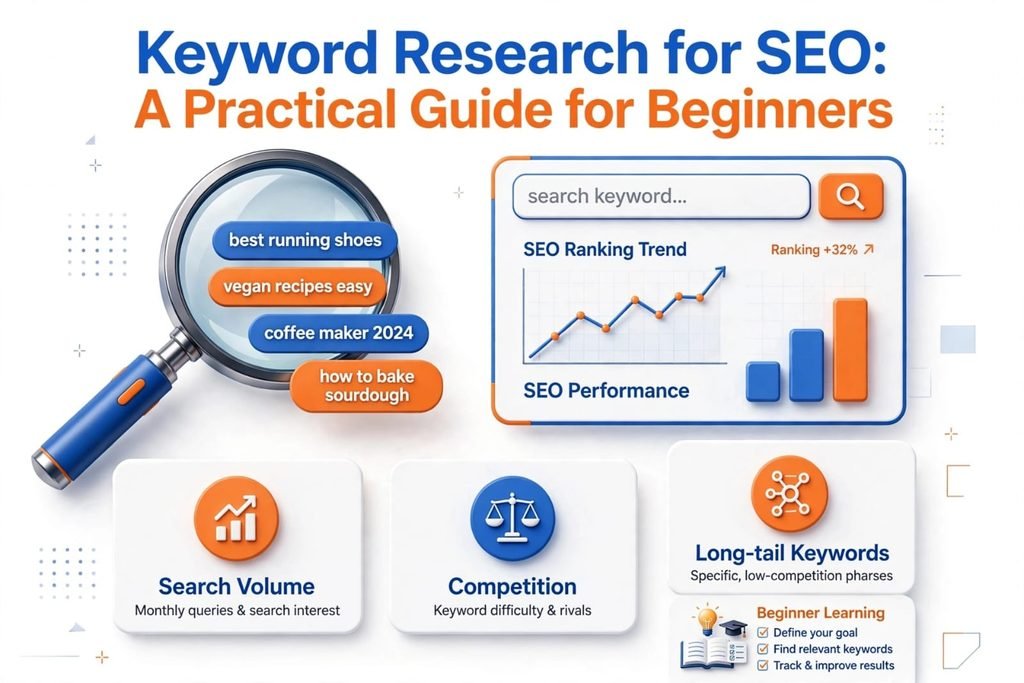
Keyword research for SEO sounds technical, but the idea is simple. You find out what real people type into Google, then decide which of those searches you can realistically answer.
Most beginners get stuck because they open a tool, see a big search volume number, and chase it. I made that mistake too. Over time, I learned that the best keyword is rarely the biggest one. It’s the one that matches what your audience wants and that your website can actually compete for.
In this guide, I’ll show you how I approach keyword research for SEO, step by step, using mostly free tools.
Table of Contents
What is Keyword Research for SEO?
The keyword research for SEO process involves identifying the types of keywords people use when searching on the internet that you need to base your SEO plan on.
This is crucial because keyword research for SEO helps you relate content to demand. The last thing you want is to skip keyword research for SEO, as it lets you know about search topics and competitiveness.
Google also claims that user-friendly content is the ultimate goal. This can be proven by reading Google’s SEO Starter Guide.
Start Keyword Research for SEO With Your Goal, Not a Tool
Before I open any tool, I ask two questions:
- What do I want this website to be found for?
- Why would someone search for it?
Your answers shape everything. A café owner wants “coffee shop near me” searches. A freelancer wants people looking for a service. A blogger wants readers with questions. Each of them needs different keywords.
This takes 5 minutes, and saves hours of chasing the wrong keywords for the visitors.
How to Do Keyword Research: 5 Simple Steps
Here is the process I follow when I want to know how to find keywords for SEO.
- Define your goal and audience. Decide what the site should achieve and who it’s for.
- Brainstorm seed keywords. Write down the topics and questions your audience would type into Google.
- Expand the list with tools. Use keyword research tools to find related terms, search volume, and difficulty.
- Check search intent and competitors. Look at what Google already shows for each keyword.
- Choose, publish, and track. Create content around your best picks and watch the results in Google Search Console.
Notice that the tools come third, not first.
Keyword Research Tools I Use
You don’t need every tool. Here are the ones I use regularly:
| Tool | Cost | What I use it for |
| Google Search Console | Free | Seeing real queries my site already appears for |
| Google Keyword Planner | Free (needs an Ads account) | Finding ideas and rough search volume |
| Google Trends | Free | Comparing topics and spotting interest over time |
| Semrush | Paid (limited free use) | Checking Keyword Difficulty and competitors |
| Ahrefs | Paid | Competitor and keyword analysis |
If I had to pick one, it would be Google Search Console. It shows actual searches that already lead people to my site, so I’m not guessing.
How I Check If a Keyword Is Too Competitive
This is where most beginners need help. I look at three things together:
- Keyword Difficulty (KD): I check it in Semrush first. But I never treat one number as a strict rule.
- Search intent: I search the keyword on Google and see what kind of pages appear. Guides? Service pages? Product pages?
- Who already ranks: If the top results are all big, established websites with strong backlinks, I usually skip the keyword for a new site. If smaller sites rank and the topic is closely related to mine, it’s more realistic.
So my rule is KD plus search intent plus who’s ranking, not just one score.
Why Broad Keywords Can Wait
Terms like “SEO” or “digital marketing” are very competitive. For a new website, I’d start with specific, long-tail, or local keywords first. Once some pages start getting impressions, you can move on to tougher terms.
How to Use Google Search Console for SEO Keyword Research
This is the free method I rely on most. If your site already has some data, try this:
- Open Performance → Search results.
- Click the Queries tab to see the real searches that show your site.
- Check Impressions, Clicks, CTR, and Average position.
- Look for queries with impressions but low rankings. These are opportunities.
- Click a query, then open the Pages tab to see which page appears for it.
That last step is useful. It shows what Google already connects with your content, so you can improve that page or create a more focused one.
Group Keywords by Search Intent
After making a list, don’t create one post for each keyword. Group them instead.
I categorize keywords based on the person’s intent – information, service, guide, or other. Then I categorize keywords with similar meanings and select a main keyword for each page.
For instance, the phrase “how to do keyword research” is the same need as the phrases “SEO keyword research” or “keyword research for SEO. One strong guide does better for the three than three thin posts. This also can prevent the danger of keyword cannibalization, because with this, your own pages are in competition with each other.
My flow looks like this:
Keyword → search intent → topic group → right page → primary keyword + related terms
If a keyword has a clearly different intent, it gets its own page.
Common Keyword Research Mistakes
The most common mistake I see is choosing keywords by search volume alone. It leads to two problems:
- You target keywords that are too competitive for your site.
- You attract visitors who don’t match what you offer, so they leave without acting.
Other mistakes to avoid:
- Ignoring search intent
- Creating several thin pages for similar keywords
- Skipping the check of who already ranks
- Never reviewing Search Console after publishing
A Case in Point and an Honesty About a Limitation
For my website, I opted for “freelance digital marketer in Kochi.” I picked it since the intention was very evident and it related directly to my audience rather than just the general topic of “digital marketing.”
It’s early days. I have not seen sufficient Search Console information to show any high volume of traffic or leads from it, and neither would I try to suggest otherwise. My takeaway at this point is that choosing a keyword is one thing, but what truly matters is if the page can earn impressions, clicks, and better ranks.
Your results might differ.
A 30-Minute Keyword Research Plan for Beginners
Short on time? Don’t try to build a huge list. Try this instead:
- Minutes 1–10: Write down what you want to be found for and the questions a real customer would type into Google.
- Minutes 11–20: Use Google autocomplete, related searches, and Search Console queries (if your site has data). Note the useful ones.
- Minutes 21–30: Group them by search intent and choose 3–5 realistic topics to start with.
Skip huge terms for now. Specific, relevant keywords are a better starting point.
FAQ
What is keyword research for SEO?
Keyword research is a process of identifying the searches people use in Google to produce content based on them.
What is the best way to get free keywords for SEO?
Google features: Google Autocomplete, related searches, Google trends, Google Keyword Planner, Google Search Console.
For a new website, which keyword difficulty score is recommended?
No particular KD. You’re going to need to take into account KD and also who ranks for the search term. If the search results are small and less well known websites, then the keyword is possible.
What is the minimum number of keywords that one page should target?
One key word and its close synonyms.
What is the longest time to receive any result?
It depends. SEO takes time, track results in Search Console.
Conclusion
Keyword research is more than finding keywords with high search volume. Through my practical experience with SEO and digital marketing, I’ve learned that the most valuable keywords are the ones that connect a real searcher with genuinely useful content.
As a freelance digital marketer in Kochi, I focus on understanding the audience before selecting keywords. I look at what people are searching for, the problems behind their searches, search intent, competition, and whether a keyword can actually support the business goal. A keyword may have thousands of searches, but if it attracts the wrong audience, it may not deliver meaningful results.
My approach is simple: start with a clear goal, understand the target audience, research relevant keywords and competitors, group keywords according to search intent, and create content that answers the user’s question. I also believe keyword research should not stop after publishing an article. Reviewing performance and refining the strategy helps keep SEO focused on what users actually need.
For beginners, you don’t need hundreds of keywords or expensive tools to get started. Begin with the language your audience naturally uses. Explore Google suggestions, related searches, competitor content, and common customer questions. Then turn those insights into helpful, original content.
The biggest lesson I’ve learned is that SEO is not about choosing keywords for search engines; it is about understanding people behind those searches. When experience, research, search intent, and helpful content come together, keyword research becomes a strong foundation for sustainable SEO growth.